
Case study: App Cost Estimator - A paragraph goes in. A priced proposal comes out.
App Cost Estimator reads a project described in plain English, such as the email a client sent, and returns an itemized estimate with hours and cost on every line. It's a product in its own right, and the estimating method behind it is the one now running on this site's own cost estimator.
- Role
- Product design & full build
- Platform
- Web app
- Input
- A paragraph of plain English
- Also powers
- The estimator on this site
The problem
The hard part was never the arithmetic.
Every quote starts the same way: a client describes what they want in a few sentences, and someone experienced spends the next hour turning those sentences into line items. The multiplication at the end takes seconds. The translation is what costs the afternoon.
It's also where quotes go wrong. Two people at the same shop will read the same paragraph and produce different numbers, because they noticed different things in it. And an estimate that arrives as a single figure can't survive the obvious question. A number you can't break apart is a number you can't defend.
So the tool was built around translation, not calculation: read the description properly, name every piece of work it implies, and price each one out in the open.
Before
An hour in a spreadsheet, per lead
Re-reading the email, remembering what auth usually costs, guessing at the parts nobody mentioned, and rounding the total until it feels about right.
After
A paragraph, then a document you can send
Same description, five short steps, and a proposal with every line priced, including the work that usually goes unquoted.
What it asks
Five short steps, and the first one is a blank box.
The flow asks for as little as it can get away with. Here are the three that shape the estimate.
Step one
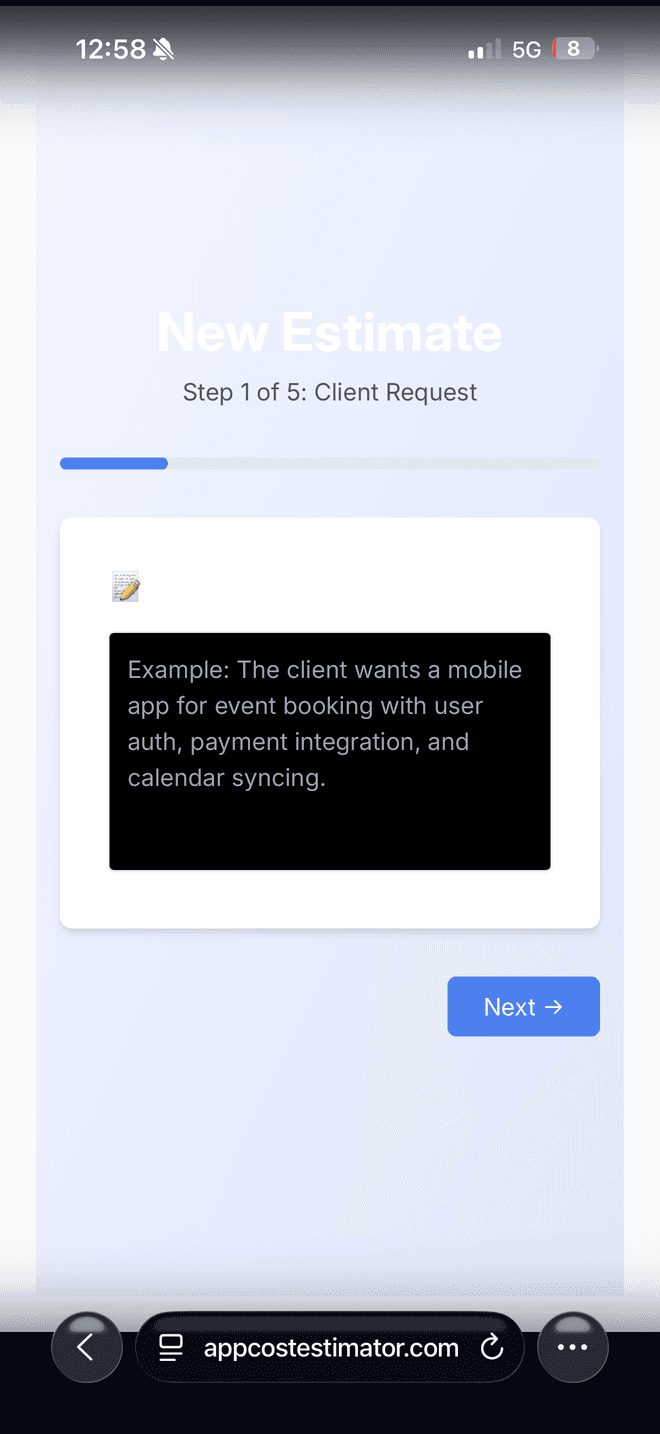
The first screen is a blank box, not a checklist. Paste in the email the client sent. Describe it the way the client did
Most scoping tools open with a form. This one opens with the client's own words, because that paragraph is where the real scope is hiding.
Step two
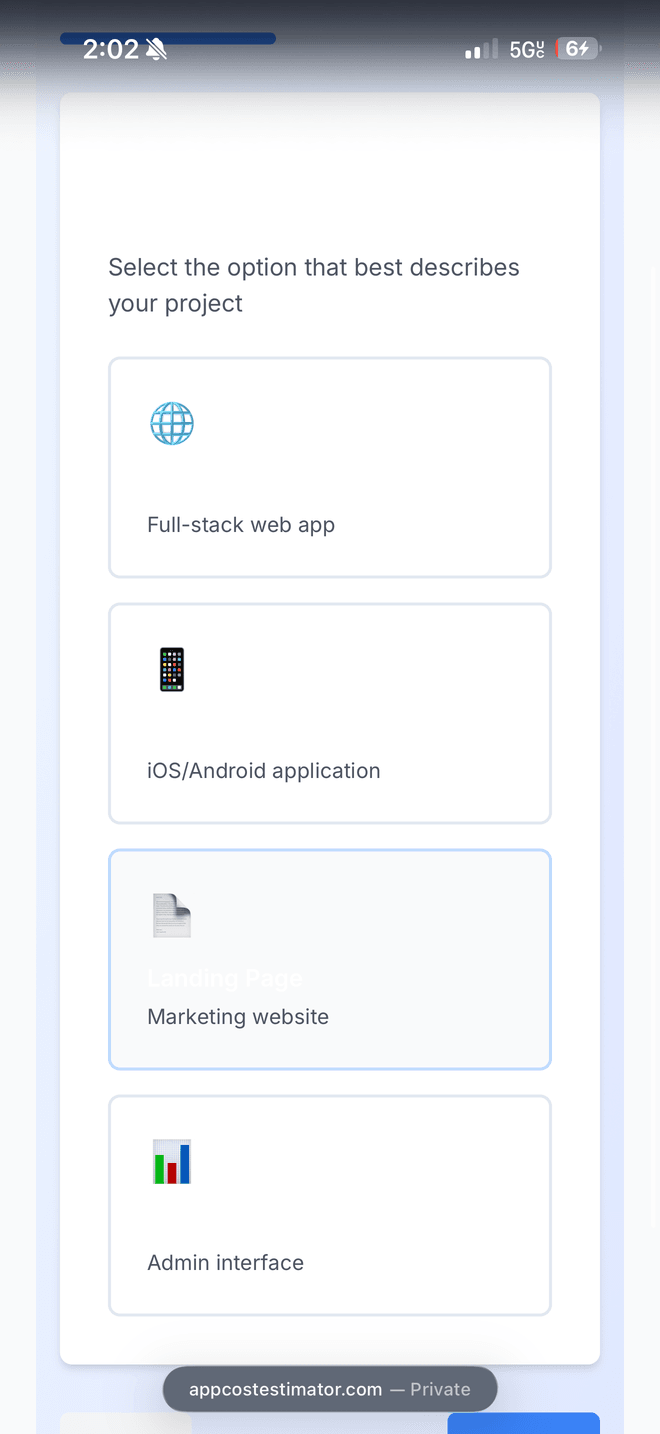
Four shapes: web app, mobile app, landing page, admin interface. Say what shape it is
One tap of context that changes how everything after it is read. A landing page and an admin interface share almost no assumptions.
Step three
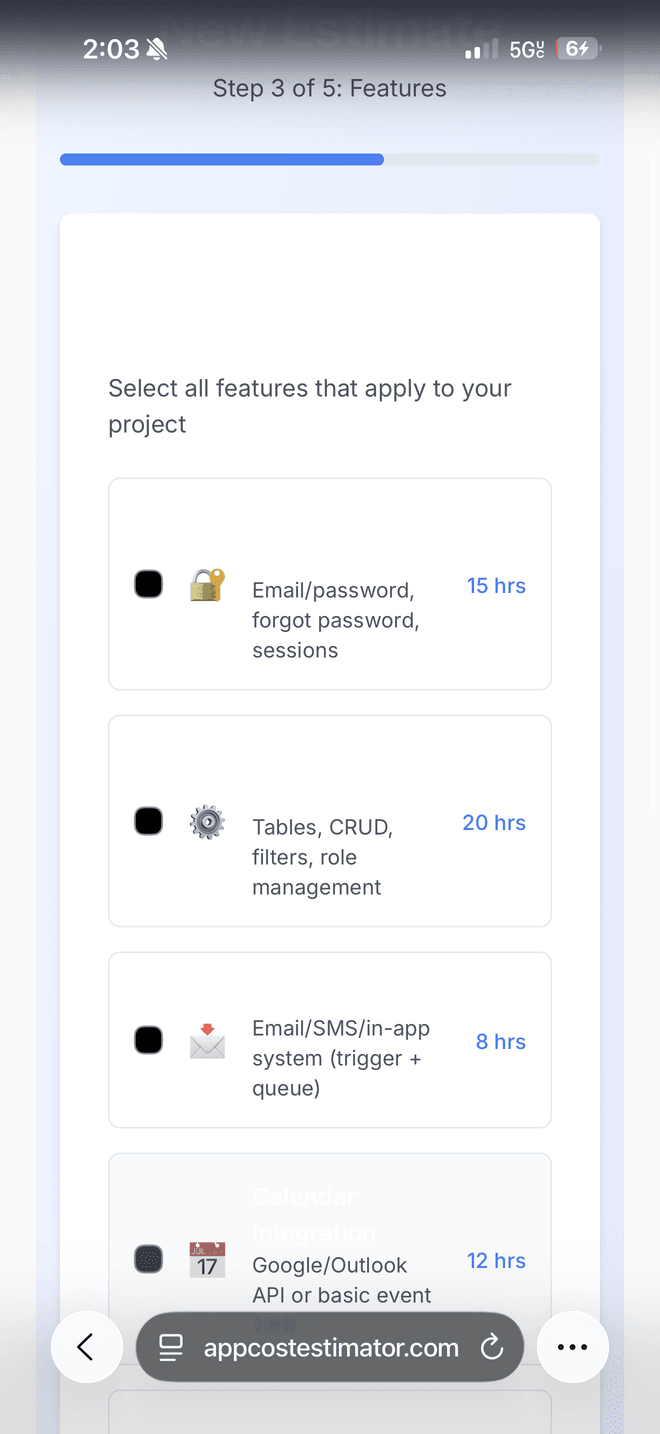
Authentication 15 hrs, admin dashboard 20 hrs, notifications 8 hrs, all visible while you choose. See the hours before you commit
Every item carries its own number on the way in. Nothing is revealed at the end, so the total is never a surprise you have to justify after the fact.
What it produces
Every number attached to something.
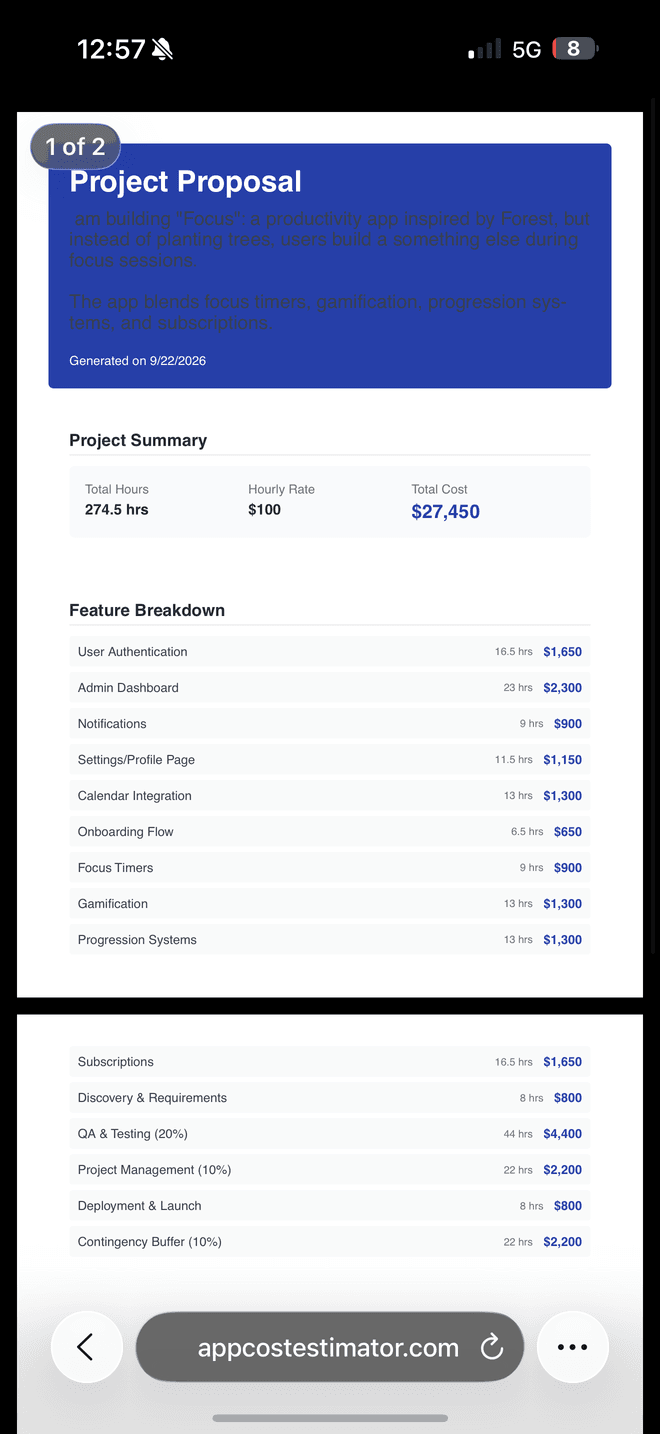
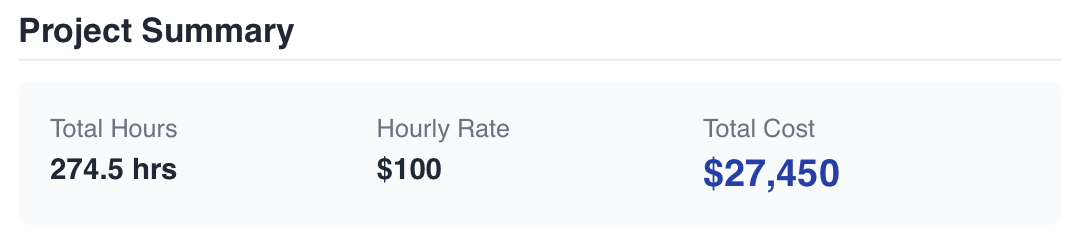
The proposal opens with the headline figures and then earns them: a row for every feature, with its hours and its share of the cost. Nothing is hidden in the total. The number at the top is the sum of things you can point at.
The rows most quotes leave out are in there as line items of their own: discovery and requirements, QA and testing, project management, deployment and launch, and a contingency buffer. That work always happens. Putting it on the page is the difference between a quote that gets negotiated down and one that gets understood.
Reading between the lines
Three of these were never on the checklist.
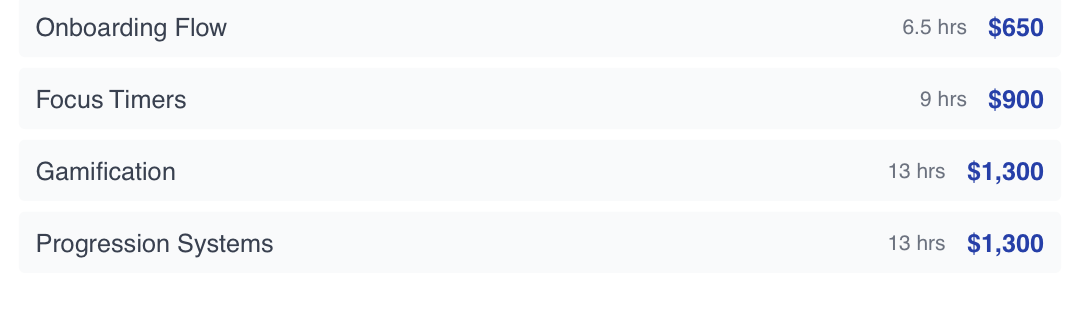
Onboarding Flow came from the checklist. Focus Timers, Gamification and Progression Systems appear on no list anywhere in the product. They were read out of a description of a focus app where users grow something during a session instead of planting a tree.
That is the whole reason the first screen is a blank box. A checklist can only price the work someone already knew to ask for; the interesting scope is almost always the part the client described but never named. Features with no preset get priced against the nearest one that has.
Where the AI fits in
Let it read and write. Don't let it guess.
“AI-powered” usually hides more than it explains, so here is the honest version: three jobs, and what each one is allowed to decide.
- OpenAIReading the brief · Writing the breakdown
Interpret
Read the description, name the work
The model's first job is to go through the client's paragraph and pull out every feature hiding in it, then merge those with whatever was ticked on the checklist and drop the duplicates. A form can't do this part. It's reading comprehension, and that is what language models are good at.
Price
Follow a method, not a hunch
Pricing doesn't come from the model's intuition. It's handed a written method: a baseline hour range for every known feature, multipliers for complexity, an adjustment for a rushed or relaxed timeline, and the overhead every project carries. Anything it found that isn't on the list gets priced by analogy to the nearest thing that is.
Write
Hand back a document, not a number
The result comes back as structured data, with hours and cost on every line item. That data becomes the on-screen breakdown and a downloadable PDF. What lands in front of the client reads like a proposal, not a calculator's output.
Note which card has no logo on it. We trust the model to understand a brief and to lay out a document, the two things it does better than a form ever could. We don't trust it to decide what an hour of work is worth.
After the estimate
Quotes don't end when you send them.
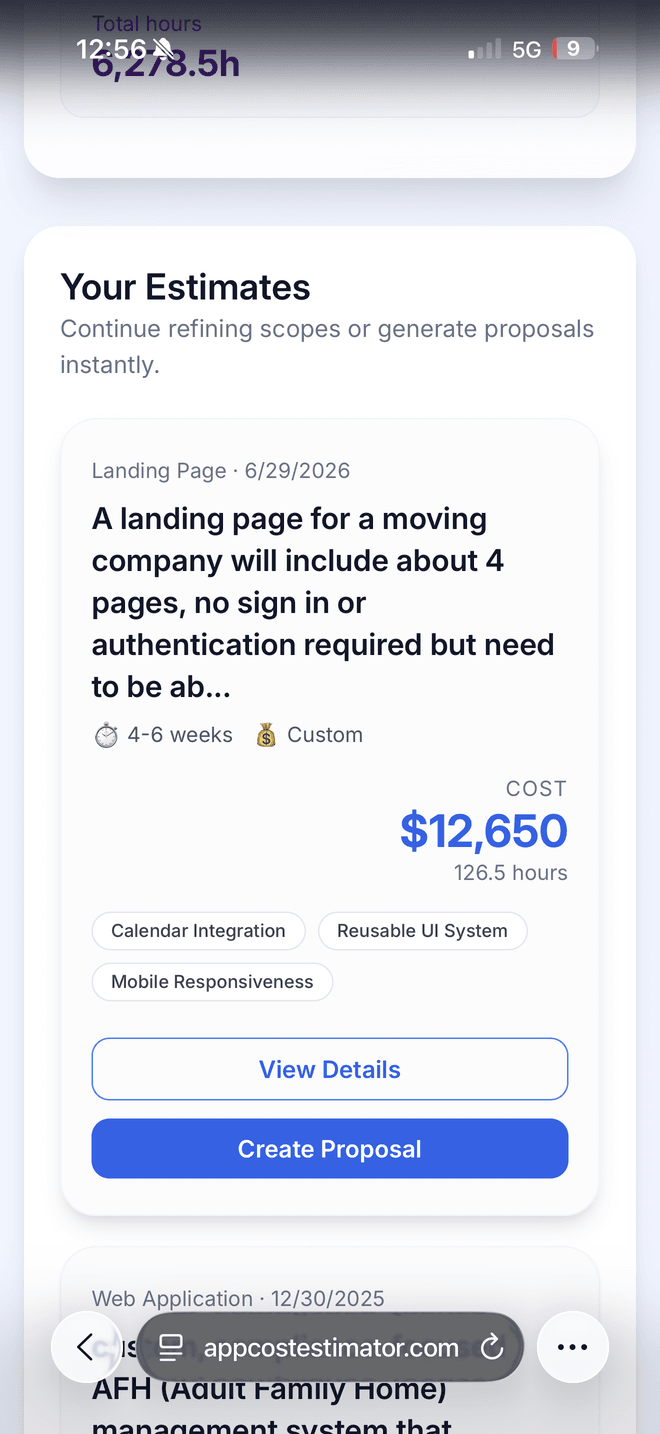
Every estimate is saved with its cost, its hours and the features it covered. When a client comes back with changes two months later, you reopen the quote instead of rebuilding it from memory.
The running total across the account turns out to be the most quietly useful number on the screen: it's a record of all the work you've scoped, sitting next to every individual quote that made it up.
How it was built
Four decisions that shaped everything else.
Design the ending first
The document was the spec
The build started from what a client should receive: a proposal with a summary, a line for every piece of work, and the overhead spelled out. From there it worked backwards to the questions needed to produce it. That's why the flow is five short steps instead of one long form: each one exists because the document needs it.
No sign-up wall
You can use it before you commit
Anyone can start an estimate without creating an account. A session opens quietly in the background and saves their work from the first step. Nobody is asked to register before they've seen whether the tool is any good.
Show the math
The overhead is a line item, not a markup
Discovery, QA, project management, deployment and contingency each appear as their own row with their own hours. Most quotes bury this in a round number at the bottom; putting it in the open is what lets someone defend the total line by line.
Don't block on the slow part
The PDF renders in the background
Generating the document is the slowest step, so it doesn't hold anything up. The estimate is saved and the summary appears immediately, and the file arrives on its own. If rendering fails, the estimate is still there, because it never depended on the PDF.
The same engine, on this site
The estimator on this site came out of this product.
Writing the method down precisely enough for a machine to follow had a side effect worth more than the tool itself: it turned out to be a specification. Every rule was already explicit: the baseline hours for each kind of feature, the multipliers for complexity, what a rushed timeline does to the worst case, and the five overhead lines that always apply.
So the cost estimator on this site is the same method, rewritten as ordinary arithmetic. Same feature vocabulary, same hour ranges, same multipliers, same buffers. It runs in the browser with no model call and no API key, which is why it answers the instant you tick a box. Once a method is written down, nobody needs to interpret it.
There's still a model in the loop here, doing the job it should: when you submit, it writes the proposal that reaches your inbox. The figures were already settled before it was asked, and it never recalculates them.
What the build proved
A method you can write down is worth more than a clever answer.
Translation, not arithmetic
The expensive part of quoting is turning a description into line items. Automate that and the maths takes care of itself.
Give the model a method
Asking what something costs invites a guess. Handing over the rules and asking it to apply them is a different question.
Build it for yourself first
Every opinion in it came from quoting real work, which is also how it ended up running on this site.
Let’s work together
Open to new projects and long-term partnerships.
Our offices
- U.S.A
Columbus, OH